Plex 101
Congratulations! You've been told about Plex. So, what's next?
Read this quick-start guide to get going.
What is Plex?
Plex is a for-profit company that offers software-as-a-service, specifically a media server application. We pay Plex a fee, and in return we get to use their platform to play (and share) our own media files. Just like Netflix, Max, or Hulu we can distribute our media as we see fit. These files are in our control, and the media is only shared to specific people who we know and choose.
If you are reading this, you probably have been offered such access. Nice!
How to get started
-
First off, you need to make an account through Plex. Visit this link:
-->https://www.plex.tv/<-- -
Make an account. Once you make an account, you will need to share the email you used with Nathan or whoever gave you access.
-
In time, you will get an invite link through the email you signed up with. Click the link in the email to add our library to your account.
-
One of the reasons we like Plex is because it has wide client coverage for any platform you can think of. You can add the Plex app to any of your devices:
- Access from the web
- iOS, Windows/Mac, Android, and Linux all have dedicatated clients
Note: On the iOS app and other mobile clients (Android, iPadOS) you cannot stream to your device without purchasing a Plex Pass. You can still use your phone as a cast-er, and cast to available devices without limitations.
- XBOX, Apple TV, PS3/4/5
- WebOS (LG), Roku, most smart TVs
- the list goes on...
All you need to do is go to your respective app store and download the app, or visit their website for desktop client downloads.
-
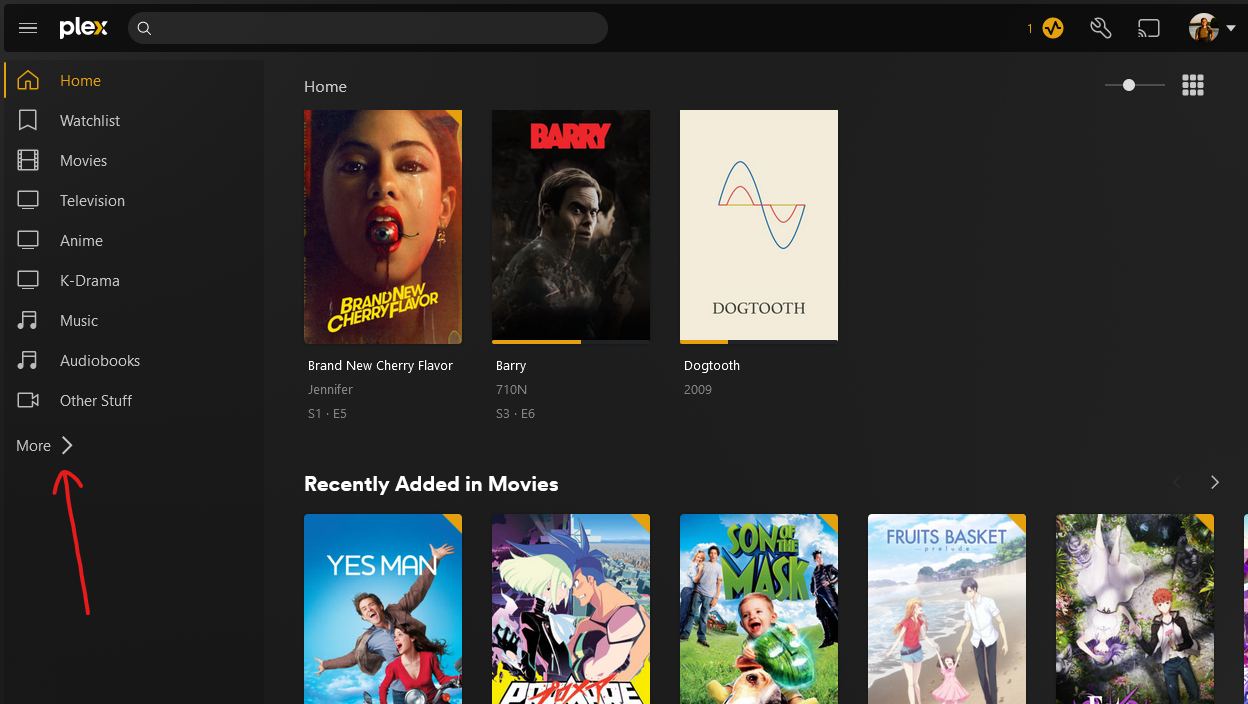
On your client, you will need to make sure our media is pinned:
For example, on the web client, click More >
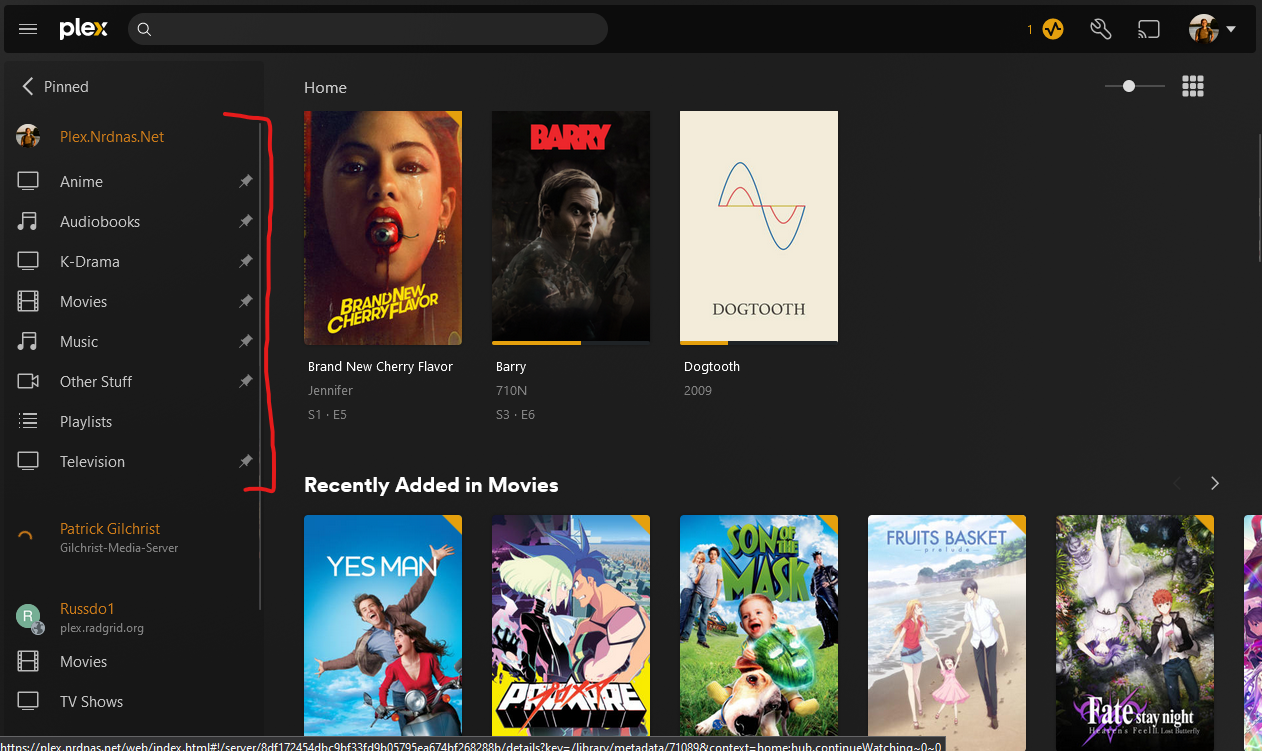
Then, make sure you “pin” any libraries you want from underneath plex.nrdnas.net
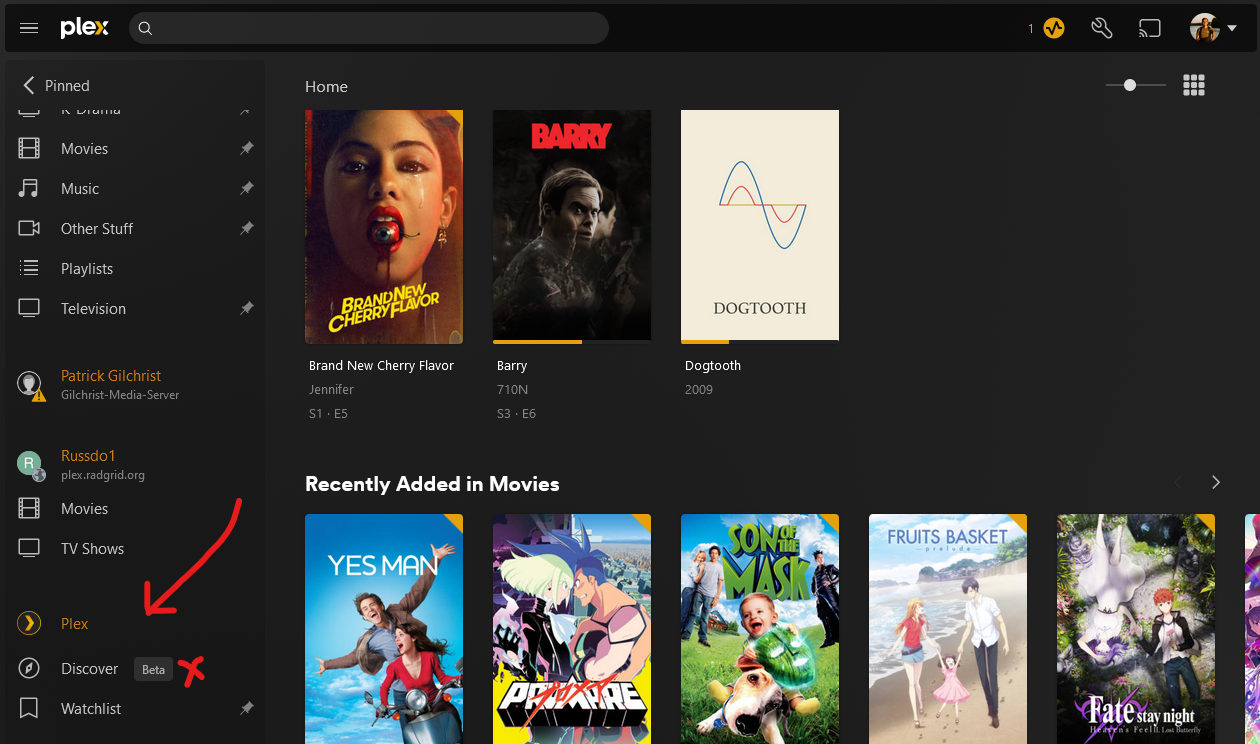
Additionally, unpin everything underneath “Plex” at the bottom of the list. Note, there might be other things on yours that aren't shown here.
Enjoy binging!